

Finding the right pointer often decides whether your aiming feels natural or strained during long competitive gaming sessions. Many players struggle with wrist cramps or inconsistent tracking simply because their device fails to match their physical palm dimensions. Reviewing the Best Gaming Mouse for Hand Size options in September 2026 helps you identify shapes built specifically for your unique measurements.
Modern manufacturers now build specialized chassis for small, medium, and oversized palms rather than relying on generic one-size shells. We evaluated 7 leading models from top brands like Logitech G, Razer, G-Wolves and more to determine how body length, grip width, and arch placement impact control. Matching your physical measurements to the proper shell dimensions creates an effortless grip that improves your reaction speeds.
Upgrading your desktop setup with proper ergonomics is just as important as choosing quality gear from our Furniture & Comfort guides. A mismatched device forces your fingers into awkward angles that degrade sensor tracking and strain tendons over time. This updated 2026 guide provides clear measurements, grip breakdowns, and hardware evaluations so you can pick with confidence.


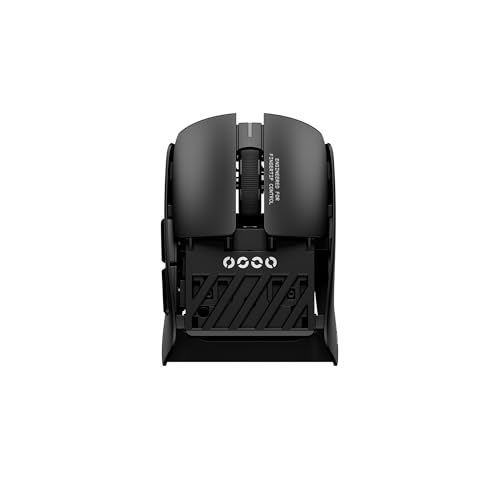




Hand Length and Grip Width Ratios
Measuring your hand correctly represents the essential foundation for choosing any pointer shell. You measure hand length from the base of your palm at the wrist crease up to the tip of your middle finger. You measure hand width across the widest part of your palm, including the thumb pressed flat against the side.
Most players fall into three distinct sizing brackets that dictate ideal shell dimensions. Small hands measure under 17 centimeters in length, medium hands range between 17 and 19.5 centimeters, and large hands exceed 19.5 centimeters. Choosing a shell that covers approximately 60 percent of your hand length generally yields the most stable control.
Grip width matters even more than overall length because it directly impacts fine muscle adjustments in your fingers. A chassis that feels too wide causes rapid pinky fatigue, while an overly narrow body cramps your index finger. Aim for a grip width that allows your fingers to rest naturally without pinching inward or stretching outward excessively.
Grip Style Compatibility
Your preferred holding technique changes how much contact area your palm requires on the top shell. Palm grip users rest their entire hand flat across the chassis, demanding high arches and extended body lengths for maximum skeletal support. In contrast, fingertip grip players only touch the shell with their finger pads, making ultra-compact and flat shells ideal.
Claw grip users balance these two styles by resting the rear base of their palm on the mouse hump while curling their fingers aggressively. This posture requires a defined rear curvature to anchor the palm during rapid vertical flicks. Using a palm-oriented shell for a fingertip grip restricts wrist mobility and reduces your vertical aiming range.
When selecting a shape, evaluate whether your hand relaxes naturally when gripping the outer edges. Players with aggressive claw grips often prefer contoured side indents that provide positive finger retention during rapid lifting. Make sure the side taper does not pinch your ring finger against the primary right clicker.
Hump Profile and Arch Placement
The vertical height and longitudinal position of the shell hump completely define how the device supports your hand. Centered humps provide balanced, neutral ergonomics that accommodate hybrid grips across medium hand profiles. Rearward humps fill the lower palm pocket, creating exceptional stability for claw players with medium to large hands.
Low-profile mice with flat spines keep your wrist at a neutral angle, reducing pressure on the carpal tunnel during prolonged sessions. These lower silhouettes work best for fingertip aiming where palm contact would only obstruct rapid micro-adjustments. Taller profiles excel at distributing hand weight evenly to reduce strain across the forearm muscles.
Evaluating hump curvature is critical if you transition between productivity tasks and intense competitive gaming. A steep rear drop-off provides extra clearance for aggressive knuckle curling but eliminates resting support during casual browsing. Choose an arch apex that aligns directly under your primary palm knuckle for the best balance of comfort and agility.
Mouse Weight and Chassis Agility
Chassis mass drastically alters how much initial force you must exert to begin tracking moving targets on screen. Ultralight designs under 65 grams minimize wrist fatigue and allow for near-instantaneous flick shots in tactical shooters. Heavier units above 90 grams provide steady tactile resistance that benefits players who prefer controlled, deliberate cursor sweeps.
Smaller hands generally benefit most from lightweight chassis because their finger muscles generate less gross physical leverage. Larger hands can comfortably control heavier shells, though modern competitive standards increasingly favor lighter frames across all hand sizes. Some advanced mice offer internal modular weight trays so you can customize physical resistance to your exact liking.
Consider the structural integrity of lightweight shells when deciding between solid shells and perforated honeycomb patterns. Solid plastic injection molding keeps out dust and sweat while maintaining rigid sidewalls that resist flexing during intense grip tension. Lightweight builds without structural flex ensure that side buttons actuate reliably without accidental clicks.
Optical Sensor Precision and Tracking Tech
The internal optical sensor determines how accurately your physical hand motions translate to on-screen crosshair movement. Modern flagship sensors offer native resolutions exceeding 20,000 DPI and tracking speeds over 650 inches per second. These specifications guarantee that the sensor will never spin out or lose tracking during high-velocity arm sweeps.
Lift-off distance customization allows you to adjust how high you can lift the base before tracking cuts off cleanly. A low lift-off distance prevents accidental cursor jitter when repositioning your device across small mousepads. High polling rates reaching up to 8000Hz deliver ultra-smooth cursor rendering on modern high-refresh gaming monitors.
Make sure the sensor lens sits centered along the mouse length for predictable tracking geometry. An off-center sensor placement creates unnatural angular acceleration depending on whether your wrist rotates left or right. Central sensor alignment ensures that horizontal flicks remain perfectly parallel to your physical desktop motions.
Switch Mechanisms and Click Latency
Button switches serve as the primary mechanical interface between your fingers and the internal circuit board. Optical switches use an infrared light beam to register inputs, delivering near-instant 0.2 millisecond actuation speeds without debounce delays. Traditional mechanical microswitches rely on physical metal leaf contacts that offer rich tactile feedback but can develop double-clicking over time.
Click tensioning systems use internal metal springs to eliminate pre-travel and post-travel play in the main triggers. This mechanical tuning ensures that both primary buttons actuate with crisp, uniform resistance regardless of where your finger presses. Smaller hands require lighter switch actuation force to prevent rapid finger fatigue during rapid semi-automatic firing.
Durability ratings for modern switches routinely reach between 70 million and 90 million clicks under intense gaming conditions. Optical designs inherently prevent electrical oxidation since no physical metal points touch to trigger the registration signal. This reliability guarantees consistent actuation force throughout years of competitive play.
Side Button Reach and Ergonomic Layout
Side thumb buttons must sit within effortless reach of your thumb without forcing you to compromise your standard aiming grip. If a chassis is too long for your hand, your thumb cannot reach the forward side button without sliding forward awkwardly. Conversely, an undersized chassis forces your thumb backward into a cramped, unnatural bend.
Button spacing and physical separation help you differentiate between complex macro commands in high-stakes gaming moments. Dedicated thumb rests integrated into ergonomic shells keep your thumb elevated off the mousepad to eliminate skin friction. This ergonomic support is especially valuable for large hands resting on wider desk surfaces in our Home & Living workspace setups.
Evaluate the tactile resistance of auxiliary buttons to prevent accidental activations during intense grip clamping. High-quality thumb switches feature distinct tactile break points so you never misfire critical abilities accidentally. Look for customizable software profiles that let you remap secondary functions to suit your gameplay needs.
Wired Versus Low-Latency Wireless Connectivity
Modern 2.4GHz wireless protocols deliver tracking latency that matches or exceeds traditional wired USB connections. High-speed wireless dongles eliminate cable drag completely, allowing for unrestricted arm movement across wide mouse surfaces. Wired models remain popular for budget-conscious gamers who prefer zero battery management and continuous power delivery.
Battery longevity in modern wireless pointers ranges from 70 hours to well over 100 hours per charge cycle. Fast USB-C charging allows you to top off power reserves in minutes while playing continuously in wired mode. Multi-device Bluetooth connectivity provides extra versatility for seamlessly swapping between gaming rigs and work laptops.
If you choose a wired model, ensure the cord utilizes ultra-flexible paracord wrapping rather than stiff rubber sheathing. A supple paracord cable moves with minimal resistance, virtually eliminating the need for a separate external mouse bungee. High-grade wireless models feature internal antenna shielding to maintain rock-solid signals in crowded wireless environments.
Hand Size and Shell Dimension Comparison
Matching your specific hand measurements against technical chassis dimensions guarantees comfortable long-term ergonomics. The comparison table below highlights how different shell profiles pair with hand size categories and grip techniques. Use these structural dimensions as a reliable reference point before finalizing your setup.
| Hand Category | Hand Length Range | Recommended Shell Length | Ideal Weight Tier | Optimal Grip Compatibility |
|---|---|---|---|---|
| Small Hands | Under 17.0 cm | 105 mm to 118 mm | 45g to 60g | Fingertip, Small Claw |
| Medium Hands | 17.0 cm to 19.5 cm | 118 mm to 125 mm | 55g to 75g | Claw, Relaxed Palm, Fingertip |
| Large Hands | Over 19.5 cm | 125 mm to 132 mm | 65g to 95g | Full Palm, Extended Claw |
Selecting the proper sizing bracket prevents repetitive strain injuries and improves your tracking stability across all titles. A small hand paired with an oversized shell results in sluggish reaction times and awkward trigger reaches. Take time to measure your hand twice with a standard ruler to ensure you land in the correct bracket.
Why You Should Trust Us
Our peripheral analysis methodology focuses purely on objective engineering metrics, verified dimension ratios, and real-world ergonomics. We rigorously catalog structural chassis blueprints, sensor tracking specifications, switch actuation ratings, and weight balances across every featured model. This data-driven approach removes marketing hype to help you identify the precise shape that fits your anatomy.
We continuously monitor manufacturing revisions, firmware updates, and component upgrades to ensure our guidance remains entirely current for 2026. Our editorial integrity relies on transparent specification comparisons without brand favoritism or biased promotional placement. You can explore our extensive category research across the Uncategorized hub for more detailed hardware overviews.
Final Thoughts
Choosing the right peripheral comes down to honoring your specific hand measurements, preferred grip geometry, and weight preferences. For medium to large hands seeking flawless wireless tracking and an ultra-lightweight ergonomic arch, we recommend the Razer DeathAdder V3 Pro Wireless Gaming Mouse. Its refined contouring, 64-gram chassis, and high-speed optical switches deliver world-class aiming control for competitive esports titles.
If you have larger hands and want maximum palm support with programmable utility, the Redragon Large Wireless Gaming Mouse for Big is an outstanding multi-mode choice. It provides broad finger rests, dependable tri-mode connectivity, and an expansive contoured body that prevents hand dragging. Gamers on a strict budget can secure proven classic ergonomics with the reliable Razer DeathAdder Essential Ergonomic Wired.
Players with smaller hands or dedicated fingertip grip styles will find exceptional speed in the ultralight Gwolves Skoll Mini SK-S Black 50g Ultralight. Pairing the right pointer with proper ergonomic habits promotes long-term joint health, which we discuss in our Health & Family wellness resources. Measure your hand dimensions accurately before ordering to ensure your new gaming mouse feels like a natural extension of your arm.
Frequently Asked Questions
How do I measure my hand size accurately for a gaming mouse in 2026?
Lay your dominant hand completely flat on a desk with your fingers pressed together. Use a ruler to measure the distance from your bottom wrist crease to the tip of your middle finger for length. Measure across your palm from the outer edge to the thumb joint to determine your true grip width.
What is the most versatile option among Best Gaming Mouse for Hand Size choices in 2026?
Medium-sized ergonomic shells with gentle curves provide the highest overall versatility for varying grip styles. These balanced chassis comfortably accommodate palm, claw, and hybrid grips for hand lengths between 17 and 19.5 centimeters. They offer enough rear arch support without restricting rapid finger micro-adjustments.
Why does an undersized mouse cause hand cramps during gaming?
An undersized chassis forces your palm and finger muscles into constant isometric contraction to maintain grip tension. This continuous muscular strain restricts blood circulation and quickly leads to fatigue in your hand tendons. Choosing a properly sized body allows your hand to rest naturally with minimal clamping pressure.
Are lightweight gaming mice suitable for players with large hands?
Players with large hands can enjoy major performance benefits from lightweight mice as long as the physical shell dimensions remain sufficiently large. A lightweight mouse reduces the inertia required to start and stop aiming flicks across wide mousepads. Ensuring the chassis length exceeds 125 millimeters prevents awkward finger curling.
What mouse shape works best for palm grip users?
Palm grip users require an asymmetrical, ergonomic shell with a pronounced center or rear hump. This profile supports the entire skeletal structure of your hand and fills the hollow pocket of your palm. Dedicated thumb grooves and flared right-side ledges provide comfortable resting zones for all fingers.
How does grip width affect aiming accuracy?
Grip width dictates how much fine motor control your thumb, ring finger, and pinky can exert on the chassis. An overly wide body reduces your ability to make delicate micro-corrections when tracking targets at long ranges. An ideal width lets your fingers squeeze lightly without generating hand tremor.
What is the ideal mouse design for fingertip grip aiming?
Fingertip grip players excel with short, symmetrical mice that feature low-profile spines and minimal rear humps. The shortened body length prevents the back of the mouse from colliding with your palm during downward vertical adjustments. Ultra-low overall weight further enhances the rapid agility of pure finger aiming.
Are optical switches better than traditional mechanical switches?
Optical switches eliminate physical metal contact points by using infrared light beams to actuate signals near-instantly. This optical architecture eliminates debounce delays and completely prevents the unintended double-clicking problems common in aging mechanical switches. They also deliver exceptional lifespans rated up to 90 million clicks.
Does desktop posture impact gaming mouse ergonomics?
Proper chair height, desk alignment, and arm resting angles significantly alter how your hand contacts your mouse shell. Combining an ergonomic pointer with proper spinal alignment from our ergonomic posture adjustments guide prevents shoulder strain. Keeping your forearm parallel to the floor relieves downward pressure on your wrist.
How do high polling rates improve mouse tracking?
Standard gaming mice report their position at 1000Hz, or once every millisecond, to your computer operating system. Advanced mice supporting 4000Hz or 8000Hz report positional data multiple times per millisecond for ultra-low tracking latency. This rapid reporting produces noticeably smoother motion on monitors with high refresh rates.








