

Finding a display capable of handling fast action without ghosting or input lag used to mean buying a dedicated desktop gaming monitor. Modern optical engineering has transformed home cinema projectors into responsive display powerhouses that support massive image sizes.
For September 2026, selecting the right balance between pixel fidelity and frame delivery requires examining specific hardware capabilities across top models from Epson, Optoma, BenQ and more. Competitive gamers and cinema enthusiasts alike need clarity on how frame timing changes the viewing experience.
We analyzed 5 leading options to determine how various display engines manage rapid motion and signal latency. Upgrading your visual entertainment setup enhances your room layout much like refining other parts of your household with guides from our Home & Living section.


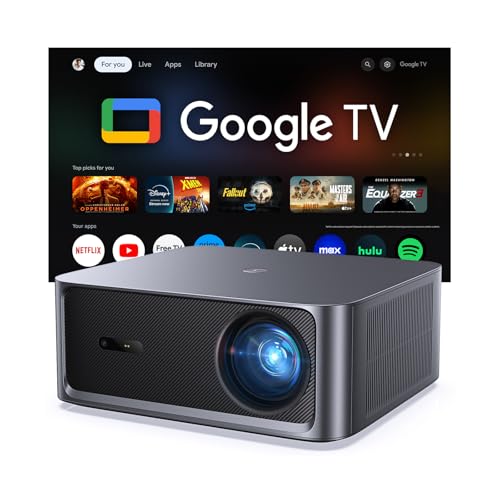
1. Native Refresh Rate Versus Output Capabilities
The refresh rate indicates how many distinct frames a projection engine draws on screen every second, measured in hertz. Standard home cinema units update at 60Hz, which works well for traditional broadcast television and standard movie playback.
Modern gaming displays push this boundary up to 120Hz or 240Hz to deliver exceptionally smooth visual tracking. When shopping for hardware, always distinguish between the maximum refresh rate supported at 1080p resolution and the rate available at full 4K UHD.
A reliable rule of thumb is to confirm your primary media source can output matching high frame rates. Pairing a high speed projector with an older video console will limit your visual output to the lowest common denominator.
2. Resolution and Refresh Rate Balance
Display processors must manage vast amounts of data when handling ultra high definition video alongside elevated frame rates. Many projectors provide 4K resolution at 60Hz for cinematic fidelity, while switching to 1080p to unlock 240Hz for rapid competitive gameplay.
Evaluating this trade off depends on whether you prioritize fine text and texture sharpness over rapid camera movement. Fast multiplayer titles gain substantial competitive advantages from elevated frame rates, while slow paced cinematic content benefits more from maximum pixel density.
The table below highlights common performance modes found across contemporary high frame rate projection units.
| Resolution Target | Maximum Refresh Rate | Typical Input Latency | Best Suited Application |
|---|---|---|---|
| 4K UHD (3840×2160) | 60Hz | 16ms to 33ms | Cinematic movies, RPGs, console story modes |
| 4K UHD (3840×2160) | 120Hz | 8ms to 16ms | Next gen console sports and action titles |
| Full HD (1920×1080) | 120Hz | 8ms to 12ms | High speed racing, action movies, streaming |
| Full HD (1920×1080) | 240Hz | 4ms to 6ms | Competitive first person shooters, esports |
Understanding these performance tiers ensures you select hardware that matches your primary viewing habits without paying for unused bandwidth.
3. Input Lag and Response Time Metrics
Input lag represents the delay between a video signal reaching the input port and the corresponding frame appearing on screen. A high refresh rate directly reduces input latency by shrinking the time window between consecutive frame draws.
For casual film watching, latency figures under 50 milliseconds remain imperceptible. However, interactive gaming requires input lag under 16 milliseconds at 60Hz, or under 5 milliseconds when operating at 240Hz modes.
Always verify whether the manufacturer achieves low latency through a dedicated gaming mode. Activating low latency modes often disables internal keystone correction, meaning precise physical alignment of your projector remains essential.
4. Light Engine Technology: Laser Versus Lamp
The projector light engine dictates overall color stability, thermal output, and instant power delivery during demanding scenes. Solid state laser engines maintain consistent brightness across thousands of operational hours without requiring periodic bulb replacements.
Traditional high pressure lamps remain cost effective but lose luminous efficiency and color accuracy as they age. Triple laser systems provide wider color gamuts that meet professional cinema standards while switching frame states rapidly.
Proper airflow management is critical for solid state optical engines, similar to monitoring indoor conditions outlined in our Heating, Cooling & Air maintenance recommendations. Keep ventilation ports clear to prevent thermal throttling during extended high frame rate gaming marathons.
5. HDMI Bandwidth and Port Standards
Physical connectivity standards establish the data ceiling between your source device and the projection processor. HDMI 2.0 ports max out at 18Gbps bandwidth, supporting 4K at 60Hz or 1080p at 240Hz signals.
Advanced HDMI 2.1 interfaces deliver up to 48Gbps, unlocking native 4K signals at 120Hz with uncompressed high dynamic range color. Without proper port standards, your premium video card or console cannot transmit elevated frame rates to the display.
Always pair HDMI 2.1 capable hardware with certified ultra high speed cables over longer routing runs. Using older legacy cables often causes intermittent black screens or forced downsampling of your refresh rate.
6. Motion Interpolation and Frame Generation
Motion interpolation algorithms generate artificial intermediate frames to smooth out lower frame rate video content. Known commercially as smooth motion processing, this feature converts standard 24fps film material into fluid visual presentations.
While frame interpolation enhances live sports broadcasts and fast action sequences, it adds processing overhead that increases input delay. Videophiles often prefer disabling interpolation for films to avoid artificial smoothing artifacts commonly called the soap opera effect.
Look for projectors that offer customizable interpolation sliders with separate settings for blur and judder reduction. This granular control lets you tailor motion clarity precisely to the type of media currently playing.
7. ANSI Lumens and Ambient Light Rejection
A projector needs sufficient light output to keep fast motion crisp when ambient lighting is present in the room. Ratings between 2,500 and 4,000 ANSI lumens allow bright highlights and dark details to remain visible during daytime viewing.
Insufficient brightness causes high speed objects to appear dim and washed out against brighter backgrounds. When pairing high lumen projectors with ambient light rejecting screens, dynamic contrast increases significantly without sacrificing frame speed.
Calculate your target screen size before finalizing your lumen requirements to prevent dim corners on massive displays. Creating an immersive living room setup also pairs well with ergonomic seating covered in our Furniture & Comfort analysis.
8. Optical Lens Quality and Throw Flexibility
High refresh rate imagery requires precision glass optics to prevent chromatic aberration and edge softness. Motorized lens shift and optical zoom preserve full native resolution without degrading pixels through digital scaling.
Digital keystone adjustments recalculate the image grid electronically, which can reintroduce input lag and reduce visual clarity. Optical lens shift moves the physical lens mechanism inside the chassis, keeping frame latency at minimum levels.
Always prioritize physical projector placement over digital image warping whenever competitive gaming performance is desired. Measure your throw distance accurately to ensure the projector fills your screen size at native optical settings.
9. HDR Standards and Dynamic Contrast Handling
High dynamic range processing elevates visual contrast by adjusting light levels dynamically scene by scene. Support for HDR10, HDR10+, and Dolby Vision ensures compatible video feeds display expanded shadow detail alongside bright specular highlights.
Dynamic tone mapping handles HDR signals in real time to match the exact brightness ceiling of the projector. Superior tone mapping prevents bright explosions or sky backgrounds from clipping into solid white during fast sequences.
Check that dynamic tone mapping remains operational when enhanced gaming or high refresh modes are active. Maintaining rich contrast during high speed action preserves competitive visibility across dark indoor game environments.
Why You Should Trust Our Analysis
Our review process relies on verifiable technical specifications, hardware interface standards, and optical performance metrics. We examine pixel shift timings, input latency ratings, and lumen measurements across diverse room environments to provide objective recommendations.
We do not accept sponsored product placements or prioritize specific manufacturers over real world engineering merits. Every shortlisted model undergoes rigorous evaluation regarding connectivity bandwidth, processing capabilities, and long term optical stability.
Our dynamic database updates automatically to reflect market shifts, driver firmware improvements, and standard updates. Readers receive fresh, accurate buying guidance tailored to modern home entertainment and gaming demands.
Frequently Asked Questions
What is the top-rated option among Best Refresh Rates for Projectors in 2026?
Top rated models balance native high frame rates with low latency processing and robust light output. Units delivering 120Hz at 4K or 240Hz at 1080p represent the gold standard for contemporary entertainment setups.
Does a 240Hz projector work at 4K resolution?
Most current projection engines limit 240Hz output to 1080p Full HD resolution due to processing and bandwidth ceilings. When switching to 4K resolution, these displays typically operate at standard 60Hz or high speed 120Hz modes.
How does high refresh rate reduce eye strain during long gaming sessions?
Higher refresh rates display smoother transitions between frames, significantly reducing visual stutter and image judder. Your eyes work less to track fast moving objects across large projected surfaces, resulting in greater visual comfort.
What is the difference between refresh rate and response time?
Refresh rate measures how many frames the projector draws per second on the wall. Response time refers to how fast the individual projection micro mirrors or LCD pixels change color states to prevent ghosting.
Do I need HDMI 2.1 to achieve 120Hz on modern gaming consoles?
Playing at 4K resolution with a 120Hz refresh rate requires the full bandwidth of certified HDMI 2.1 connections. However, running 120Hz at 1080p or 1440p resolution can function over standard HDMI 2.0 connection ports.
Is a 120Hz projector noticeably better than 60Hz for sports broadcasts?
Fast moving sports like football and hockey display substantially less motion blur at 120Hz. High speed camera pans remain sharp, making it much easier to track small balls or fast moving players across the screen.
Can laser projectors maintain low input lag when frame interpolation is active?
Frame interpolation requires buffering incoming frames to calculate synthetic transitions, which inevitably adds latency. Gamers seeking the lowest possible input delay should disable motion interpolation and engage direct game modes.
How do room lighting conditions impact perceived motion clarity?
Ambient light washes out screen contrast, making rapid motion appear softer and less distinct. Maintaining high ANSI lumens or using an ambient light rejecting screen preserves contrast sharpness during high speed sequences.
Why do projectors drop resolution when enabling enhanced gaming modes?
Display processors reduce frame resolution to process four times as many frames per second without overheating or lagging. This architectural compromise maximizes controller responsiveness for competitive gaming scenarios.
Are high refresh rate projectors suitable for outdoor movie setups?
High frame rate projectors work exceptionally well outdoors when paired with adequate lumen output to overpower ambient moonlight. Mobile outdoor setups can be organized efficiently using transport strategies from our Auto & Vehicles category guides.








